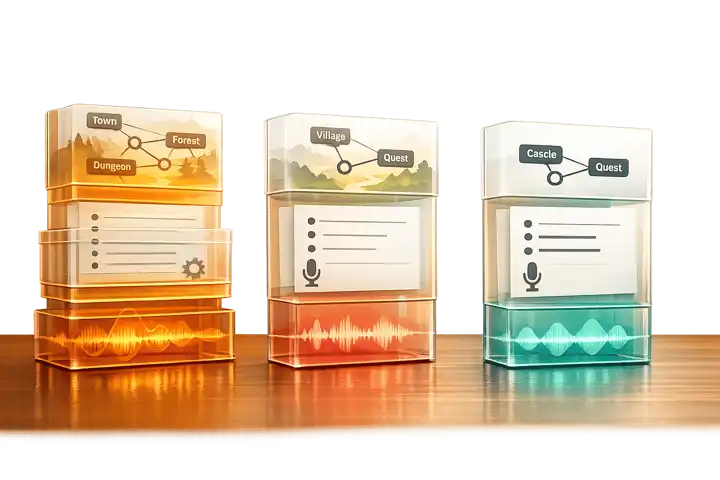
Looking for Saga20 specifically? Read the dedicated Saga20 review first. This comparison is better when you already know you want an AI session-notes tool and need to choose between Saga20, Archivist, RollSummary, and similar options.
Keeping track of tabletop RPG campaigns can be a hassle, but AI tools make it easier. This article compares three top options for session notes: Saga20, Archivist, and RollSummary. Each tool offers unique features, from quick session recaps to long-term campaign tracking. Here’s a quick breakdown:
- Saga20: Transcribes audio, creates detailed, speaker-attributed session summaries, and updates a shared campaign wiki after each session. Great for groups that want players reading and editing the wiki too.
- Archivist: Designed for long campaigns, it builds a searchable compendium of NPCs, factions, and events, plus offers a chatbot for quick lookups.
- RollSummary: Leads with a clean recap, then adds linked wiki notes for NPCs, places, and plot threads. Its free trial makes it an easy first test for casual groups or one-shots.
Quick Comparison
| Feature | Saga20 | Archivist | RollSummary |
|---|---|---|---|
| Audio Upload | ✅ | ✅ | ✅ |
| Live Recording | ✅ (phone at the table; Discord recordings by upload) | ✅ (Discord bot) | ✅ (record at the table) |
| NPC/Faction Tracking | ✅ (Auto-Wiki) | ✅ (Compendium) | ✅ (linked wiki) |
| Multilingual Support | ✅ (25 languages) | Not specified | ✅ (30+ languages) |
| AI Chatbot | ✅ (paid tiers) | ✅ (Ask Archivist) | ✅ (Ask your campaign) |
| Best For | Detailed summaries | Long campaigns | Quick recaps |
Each tool caters to different needs. Choose Saga20 for detailed summaries, Archivist for deep campaign management, or RollSummary for quick and easy session logs.
Video: Trying Archivist for D&D Note-Taking
Saga20: Fast, Simple Session Recaps

Saga20 is all about speed and simplicity. It takes raw audio from your game sessions and turns it into readable notes in no time. There’s no need for complicated setups, databases, or lengthy onboarding. If your group records sessions, Saga20 can quickly transform those recordings into structured summaries.
How Saga20 Works
The process couldn’t be easier. Put one phone in the middle of the table and hit record, or upload an audio file. Online groups can record Discord with a tool like Craig or OBS and upload that file, and Saga20’s Discord integration can post finished recaps to your server. It transcribes the audio automatically and creates a session summary with speaker attribution. This means your notes won’t just capture what happened - they’ll also reflect who said or did what.
Saga20 uses voice-matching technology to recognize speakers, link their voices to specific characters, and keep this consistent across sessions.
What Saga20 Does Well
Saga20 stands out when it comes to accuracy at the character level. Instead of offering generic summaries, it attributes actions and dialogue directly to individual characters. For Game Masters (GMs) needing quick access to what a specific player character did a couple of sessions ago, this level of detail is a huge help.
Another major advantage? Saga20 saves you from the grind of manual transcription - a task that typically takes anywhere from 1.5 to 4 hours.
While it’s great for detailed, speaker-specific notes, Saga20 isn’t without its limitations.
Limitations and Best Use Cases
Saga20 does carry details forward. Characters, locations, and factions get wiki pages that update after each session, and you can import existing notes from tools like Notion, Obsidian, or World Anvil. The limits are elsewhere. It does not join a Discord call as a recording bot, so online groups have to record separately and upload. Campaign Chat, the assistant for asking questions about your campaign, is only on the Epic Campaign plan (30 messages per rolling 24 hours) and the Legendary Saga plan (70 messages).
Audio quality is another factor to consider. Saga20’s voice-matching system performs best with clear recordings and minimal background noise. If your group plays over a noisy Discord call or uses low-quality microphones, you might encounter misattributed dialogue or gaps in the summary.
Saga20 is ideal for groups that value detailed speaker identification and want a shared wiki their players can read and edit. It excels at turning raw audio into polished summaries and keeping that wiki current.
Archivist: Deep Campaign Memory and Tracking
While Saga20 focuses on quick, session-level summaries, Archivist takes a different route by offering tools for long-term campaigns. It creates a living, searchable record of your campaign, helping track details over time. Let’s dive into what makes Archivist a powerful tool for extended storytelling.
Core Features and Capabilities
The standout feature of Archivist is its Automated Compendium, which keeps a running archive of every NPC, faction, location, and item your party encounters. This compendium updates automatically as sessions are processed. To complement this, the Campaign Timeline organizes key events in chronological order, giving you a clear picture of your campaign’s progression.
The "Ask Archivist" chatbot is another highlight. It can instantly pull up details on past decisions, unresolved plotlines, or NPCs. So far, it has responded to over 150,000 campaign-related questions.
Archivist is flexible when it comes to input methods, supporting five options: live Discord recordings, audio uploads, play-by-post logs, Markdown or Google Drive notes, and transcript imports. Processing a session takes about 10 minutes.
Customization and Story Support
Archivist lets you shape the tone of your session summaries to suit your group’s style - whether you prefer something snarky, cinematic, or serious. For game masters (GMs) with homebrew settings, the Journals feature allows you to upload custom lore and world-building documents. This ensures the AI can incorporate your unique content when answering questions.
"Archivist is a dedicated AI campaign assistant - not a generic chatbot. It documents sessions, generates summaries, tracks entities, and answers in-game queries." - Archivist AI
Archivist also creates polished two-page PDF handouts for sessions and digital trading cards for characters and items. Its WikiLinks feature allows you to tag relationships between entities, like linking a character to a location. These connections feed into an interactive Campaign Connections map, which visually represents how factions, storylines, and characters interconnect.
Limitations and Ideal Users
Archivist shines in long-term campaigns but might feel excessive for shorter ones, where its advanced tools could go unused. Additionally, there’s a learning curve involved in setting up features like Journals, WikiLinks, and tone customization.
This tool is best suited for GMs running extended campaigns - think ongoing D&D 5e or Pathfinder adventures - where continuity and detailed lore are key. With over 18,000 sessions processed and more than 260,000 compendium entries created, Archivist has become a favorite for dedicated TTRPG groups looking to preserve the depth and complexity of their stories. It’s an excellent choice for campaigns where keeping track of intricate details is a must.
RollSummary: Simple, Accessible Session Logs

RollSummary starts with the recap. It asks for less setup than Archivist, and it now builds a linked campaign wiki from each session as well. For groups looking for an easy way to turn their sessions into readable summaries, it is the simplest of the three to try.
How RollSummary Works
Hit record at the table or upload an existing MP3, WAV, or m4a file. RollSummary produces a transcript with speaker labels and a structured recap with a TL;DR, key events, character beats, and open questions. It then creates linked wiki notes for the NPCs, locations, and plot threads that came up. Everything stays editable, so you can fix names and cut mistakes before they become canon. Audio is discarded after processing unless you turn on the paid option to keep it for replay.
What RollSummary Does Well
The beauty of RollSummary lies in its simplicity. There’s no need to configure databases or system-specific settings before your first session. It works seamlessly with any TTRPG system - whether it’s D&D, Pathfinder, or Call of Cthulhu - right out of the box.
New accounts start a 30-day trial with 6 AI session hours and no card required. After the trial you keep one free 90-minute session with recap and wiki. Paid plans are measured in AI session hours, so a four-hour recording uses four hours of your monthly allowance. It’s especially helpful for groups with absent players who need a quick recap or for GMs who’d rather skip the hassle of manual note-taking.
RollSummary also detects the language your table speaks and writes the recap in it. Its site lists 30+ supported languages, including Spanish, Portuguese, French, German, Japanese, Korean, and Chinese.
Limitations and Best Use Cases
RollSummary’s wiki is lighter than Archivist’s compendium, timeline, and quest log. Its site does not mention a Discord recording bot, so online groups should plan to record separately and upload. Speaker labels still need a check when voices overlap, and groups that want summary tone controls, PDF handouts, or play-by-post import will find more in Archivist.
RollSummary is best suited for casual or shorter campaigns, one-shots, or groups that value speed and ease over detailed record-keeping. If all you need is a straightforward log of your last session without diving into complex tools, RollSummary delivers exactly that.
Saga20 vs Archivist vs RollSummary: Side-by-Side Comparison

Saga20 vs Archivist vs RollSummary: AI TTRPG Tools Compared
Here's how these tools stack up in terms of features, usability, and pricing.
Feature Comparison
The main differences boil down to complexity versus simplicity. Both Saga20 and Archivist create dynamic campaign wikis, but Archivist takes it further with a compendium, quest log, and timeline, while Saga20 updates pages automatically after each session. RollSummary builds linked wiki notes too, but leads with the recap.
| Feature | Saga20 | Archivist | RollSummary |
|---|---|---|---|
| Audio Upload | ✅ | ✅ | ✅ |
| Live Recording | ✅ (phone at the table) | ✅ (Discord bot) | ✅ (record at the table) |
| Play-by-Post Import | ❌ | ✅ | ❌ |
| Entity/NPC Tracking | ✅ (Auto-Wiki) | ✅ (Compendium + Quest Log) | ✅ (linked wiki) |
| Timeline/Campaign Map | ✅ (Campaign Graph) | ✅ (Campaign Connections) | ✅ (local graph) |
| AI Chatbot | ✅ (paid tiers only) | ✅ (Ask Archivist) | ✅ (Ask your campaign) |
| Player Character Pages | ✅ (claimable) | ❌ | Not specified |
| Multilingual Support | ✅ (25 languages) | Not specified | ✅ (30+ languages) |
These differences highlight the varying levels of detail and automation each tool offers.
Usability and Workflow
RollSummary offers a streamlined workflow: upload your audio, read the recap, and fix anything before it becomes canon. It’s a quick and easy way to recap your sessions. Meanwhile, Saga20 and Archivist cater to more complex needs, with features designed for deeper campaign management.
| Tool | Learning Curve | Best Workflow Fit | Ideal User |
|---|---|---|---|
| Saga20 | Moderate | Post-session audio processing | GMs managing long campaigns who need player-accessible wikis |
| Archivist | Moderate–High | Discord-based or multi-format groups | Power users handling intricate world-building and lore |
| RollSummary | Low | Quick post-session recap | Casual groups, one-shots, or players catching up on missed sessions |
Pricing and Budget Considerations
Each tool’s pricing reflects its target audience and feature set. RollSummary’s 30-day trial (6 AI session hours, no card required, then one free 90-minute session) is a no-cost way to explore its capabilities. Archivist offers a 30-day free trial with full access - no credit card required. Saga20 has a free plan and three paid tiers:
- Free: 1 session summary, the campaign wiki, and unlimited text sessions, no card required
- Dungeon Master Plan: $12.99/month for 6 sessions
- Epic Campaign Plan: $19.99/month for 12 sessions, adding Campaign Chat
- Legendary Saga Plan: $39.99/month for 24 sessions, unlimited image storage, and priority support
These pricing options make it easier to decide which tool fits your budget and campaign style.
Privacy and Consent Are Not Optional Features
Before evaluating summary quality, get agreement to record or upload material. Explain who can access audio, transcripts, recaps, and any public link. Decide what happens to guest appearances, private scenes, sensitive campaign content, and removal requests. Revisit the agreement when the group changes.
Read every current privacy policy yourself. The useful test is not only “does the vendor promise security?” but “does our table understand and accept what we are sharing?” If not, use a manual recap instead.
How to Run a Fair Trial
- Choose an ordinary session with clear consent, not a finale or a sensitive scene.
- Use the same recording or notes for every tool whose trial permits it.
- Give each tool the same names and basic campaign context.
- Score the result for names, decisions, unresolved hooks, speaker clarity, and editability.
- Ask a player who missed the session whether the recap tells them what they need to know.
- Test sharing and deletion controls before moving any existing archive.
A polished summary that misses the party’s central decision is not more useful than a plain recap that the GM can correct in two minutes.
Conclusion: Picking the Right AI Tool for Your TTRPG Group
When it comes to choosing the right AI tool for your tabletop RPG group, it all boils down to what your group values most. RollSummary is a fantastic starting point. Its free trial, editable recaps, and easy upload-and-go process make it perfect for casual groups or one-shot adventures. If you just need a quick recap after each session, this tool delivers without overcomplicating things.
For groups that record audio sessions regularly, Saga20 is a standout choice. This tool takes care of building your campaign wiki, mapping connections between characters or events, and even capturing memorable player quotes - all automatically. It’s a lifesaver for GMs running long campaigns who want to keep players immersed between sessions.
On the other hand, Archivist is all about depth and detail. If your group thrives on rich lore and intricate storytelling, this tool is the way to go. It offers a customizable summary tone - whether snarky, cinematic, or serious - and even generates PDF handouts, making it perfect for groups that want a polished, archive-worthy campaign record.
Ultimately, the choice comes down to what your group prioritizes: speed, detail, or depth. Pair your chosen AI tool with the TTRPG Games Directory to discover new systems and mechanics that could spark fresh ideas for your next campaign.
"Record your session. Saga20 writes the notes, updates your wiki and maps your world." - Saga20
No single tool will fit every group, but understanding your table’s preferences makes finding the right one much easier.
FAQs
Which tool is best for long-term campaign continuity?
For ongoing campaigns, Saga20 shines by automatically updating campaign details like character pages, locations, factions, and maps after every session. Plus, it offers the option to manually add information from past sessions, creating a thorough campaign history.
On the other hand, Archivist is perfect for organizing session notes, audio recordings, and lore into a searchable database, making it a great choice for campaigns that incorporate multiple formats. While Archivist is ideal for organization, Saga20’s automation makes it easier to maintain continuity with less effort.
How much does audio quality affect transcription accuracy?
Good audio quality is essential for accurate transcriptions. When the audio is clear, speech-to-text tools can produce precise session notes for TTRPGs, capturing every detail and nuance. On the other hand, problems like background noise, muffled voices, or low volume can introduce mistakes, making it harder to follow the story or keep track of character development. To ensure reliable game recordings, prioritize using high-quality audio equipment and trusted transcription tools.
Can I export notes to Notion, Obsidian, or a wiki?
Yes, notes can be exported to platforms like Notion, Obsidian, or a wiki. Archivist AI makes this process easier with automatic tagging and organization, ensuring smooth integration. On the other hand, Saga20 lets you manually create content while automatically updating your wiki. RollSummary keeps notes in its own wiki with Obsidian-style wiki-links and backlinks, so check its current export options before you commit. For a seamless experience, Archivist AI and Saga20 are better options.


