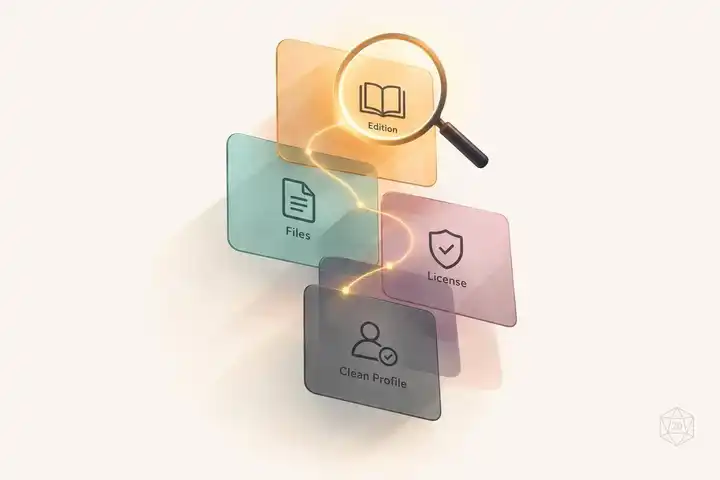
I use the RPG Companion registry to find packs - not to prove they’re ready for play. Before importing, I check the linked repository, confirm the rules edition and app requirements, review permissions, and test the pack outside my active campaign.
Here’s my checklist:
- Confirm the match: Check the game, edition, and pack version. A “5e” label alone doesn’t tell me whether it supports 2014 or 2024 rules.
- Check what’s included: Identify complete systems versus add-ons, import-ready files, build steps, and dependencies.
- Review permissions: Read licenses and attribution notes for rules, code, and artwork.
- Check access and test: Follow the documented import steps in a clean workspace after backing up my data.
- Keep a dated record: Save source links, versions, access status, and test results. I mark unverified details Unknown and recheck before updates or sharing.
My rule: <u>a successful download isn’t proof that a pack works.</u>

RPG Companion Pack Verification Checklist
1. Find the Registry and Confirm the System
Once you find a candidate entry, check its linked source before relying on it.
Check the Entry and Its Source
Record the entry name, source URL, and stated system. Compare the repository’s name and description with the listing, then check its README and metadata to confirm the game name and version.
Confirm the Rules Edition and App Requirements
Next, compare the version details in the registry listing, README, and metadata. Record the exact rules edition and required app version before downloading or importing. If the sources disagree or leave details out, mark the match as unconfirmed. Don’t guess.
For D&D 5e, specify 2014 or 2024 rules only when the source does. A “5e” label alone doesn’t tell you which edition it supports.
Identify Games With TTRPG Games Directory
If you don’t recognize the game name, use TTRPG Games Directory to identify it by its mechanics, themes, and features. Then search the registry using the exact game name.
Confirm the game’s identity on its official website. Use the directory for discovery only, not to verify compatibility or content.
2. Review Homebrew Content and Permissions
After confirming the listed system and version, check the repository to see what it includes and what you’re allowed to use.
Check Content, Formats, and Dependencies
Read the README and build instructions to identify the pack as a complete system, supplement, or add-on. Look for a system definition such as system.rpg.json or a documented split system/ layout. File structure alone doesn’t prove completeness - the files must match the documented scope. Separate rules content from reference-only material, and call content homebrew only if the source does.
Next, check how the files are built and whether they’re ready to import. Record the file types and expected build output so you know what exists, what it produces, and whether it imports cleanly for play. RPG Script files (.rpgs) compile into JSON, so source files aren’t necessarily import-ready. Check whether the instructions call for generated files or hosted resources. Don’t assume that any JSON file - or a bulk import - will work.
Review build scripts for required base systems, shared macros, assets, and install order. RPG Script import paths are relative to the importing file. These imports add macros only, not stats, views, or mechanics. Follow the repository’s setup instructions and note any separately required files or rulebooks.
Check Licenses and Attribution
Once the technical checks are done, confirm reuse rights before importing, sharing, or modifying the pack. Read LICENSE, LICENSE.md, attribution notes, and file-specific notices. Public access doesn’t grant reuse rights. Broader reuse requires a license; without one, don’t assume you have permission.
For SRD claims, record the exact SRD version, which files it covers, and the required attribution. “SRD-compatible” doesn’t mean every asset is openly licensed. Check rules text, code, artwork, and setting material separately, and preserve required notices and license text. If scope or ownership is unclear, ask the maintainer or rights holder. Keep those files out of public use until permission is confirmed.
3. Check Availability and Test the Import
After checking the source and permissions, confirm that the repository is still reachable and the pack still imports.
Check Repository Access and Downloads
Follow each registry source link. Open the repository and its required downloads, noting login requirements, archived status, missing files, and maintainer notices. Record the access-check date as MM/DD/YYYY, separate from release or update dates. A link you haven’t checked is not confirmed available.
Review releases, relevant commits, and compatibility notes. Keep pack updates separate from repository-wide changes: recent repository activity doesn’t prove the pack changed, and age alone doesn’t prove incompatibility.
Once you confirm access, test the import in a clean profile.
Test the Documented Import Steps
Back up existing RPG Companion data before testing in an isolated setup or clean profile. Follow the current instructions, and use a repository URL only if the repository supports that import method.
Confirm that sample entries load correctly. Record the app version and test result, not just whether the download succeeded.
Fix Broken Links and Import Errors
Before calling a source broken, check for documented moves, renamed paths, and maintainer notices. Check access requirements, too - restricted access isn’t a broken link. Submit registry corrections through the submission form and include the access-check date.
For import errors, compare the failure against the documented dependencies, app requirements, file formats, and rules edition. Do not bypass validation or treat a successful download as proof the pack works. Keep packs with unresolved errors out of the active campaign.
Conclusion: Keep a Pack Verification Record
Keep one record per pack that links its registry entry to its repository check. Use the same fields for every pack: name, registry link, repository URL, supported system and edition, exact version/tag/commit, short content summary, file formats, dependencies, license, and required attribution.
Record the source update or release date separately from the date you checked it. Use MM/DD/YYYY for both. Also record availability, app version, tested import method, and result in a consistent format across packs.
Mark unverified details Unknown and add a brief reason. Don’t leave fields blank - a blank could imply approval. Keep unclear fields flagged until you verify them.
Recheck before campaign updates or redistribution, and keep earlier records when versions change. Each entry is a dated snapshot, not a guarantee.
FAQs
How can I spot conflicts between homebrew packs?
Test homebrew packs together in dedicated playtest sessions. Run several intense encounters to spot rule conflicts, then use color-coded tokens to mark interactions or track rules in a shared document. Both methods help you check consistency with existing mechanics.
When rules seem unclear or contradict each other, use TTRPG Games Directory to compare your mechanics with established systems. Check that each addition fits core gameplay without leaving loopholes players can exploit or disrupting the pace.
Can I roll back a pack update without losing campaign data?
Yes - keep a detailed changelog and use version control for your rules. Log each update’s date, exact changes, and results. If an update disrupts gameplay or throws off balance, you can roll back to an earlier version and restore your game state without losing campaign progress or information.
What should I do if a pack’s maintainer is inactive?
The provided resources don’t explain how to handle administrative takeover or content adoption. To help keep your homebrew content working and accessible, keep detailed documentation, including version numbers and change logs.


