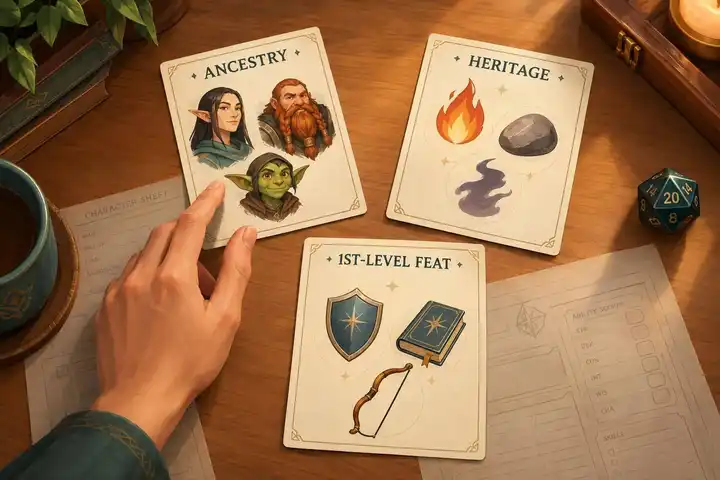
At 1st level, choose one ancestry, one heritage, and one ancestry feat that fit your character concept and class. Ancestry sets starting traits such as Hit Points, size, Speed, and senses. Heritage adds a focused ability. Neither replaces what your class does.
Use these checks to narrow the choices:
- Compare starting traits: Check HP, movement, senses, languages, and attribute boosts against your class’s needs.
- Pick an ability that will see use: Skilled Human adds skill training and expert rank at 5th level; Rock Dwarf helps resist certain forced movement and balance on uneven stone or earth.
- Check feats and rules: Read the 1st-level options and later prerequisites. If the table allows two free ancestry boosts, use those instead of the listed boosts and flaws.
- Confirm and record: Check allowed options with the GM, then record ancestry traits, heritage changes, and the ancestry feat separately.

Step 1: Learn the Difference Between Ancestry and Heritage
Ancestry Sets Your Base Statistics
Your ancestry sets your starting rules: Hit Points, size, Speed, languages, senses, traits, attribute boosts or flaws, and access to ancestry feats. Check these stats to rule out options that don’t fit your class.
Ancestry Hit Points apply only at 1st level. After that, you gain Hit Points from your class and other effects - not another ancestry HP increase.
Heritage Adds a Focused Ability
Your heritage represents a built-in trait or adaptation. It might give you resistance, a special sense, movement, or another focused benefit. Your ancestry’s base statistics stay the same unless the heritage’s rules say otherwise. You choose your heritage at 1st level and usually keep it.
A versatile heritage replaces your normal heritage choice. Apply its changes, then choose from any ancestry or versatile heritage feats you qualify for.
Step 2: Match Your Ancestry to Your Concept and Class
Write a one-sentence character concept, then choose two priorities: durability, mobility, unusual senses, social access, or skill support. Find two or three ancestries that fit those priorities and your class’s role. Treat ancestry histories as flavor - not required personalities or power rankings.
Compare Hit Points, Size, Speed, Senses, and Languages
Compare the traits that will matter most during play. Your priorities can help you decide which trade-offs suit your character.
| Ancestry feature | Practical effect | Selection question |
|---|---|---|
| Hit Points | Adds to your starting HP, giving you a small buffer early on. | Will your character regularly stand in danger, or can they avoid attacks? |
| Size | Affects how you fit through spaces and use gear. Small size does not automatically reduce reach; check your weapon and ability rules. | Does your concept call for a compact body? How might size affect exploration and gear? |
| Speed | Sets how far you move with one Stride. | Will your class need to reposition, chase enemies, retreat, or reach allies? |
| Senses | Low-light vision helps in dim light; darkvision helps in darkness. | Will the campaign involve caves, nighttime travel, or other dark settings? |
| Languages | Helps with conversations and reading clues. Higher Intelligence usually gives you more language choices. | Will you need certain languages to negotiate or investigate clues? |
Ask your GM about likely settings and languages before you choose. A trait does more for your character when the campaign gives you chances to use it.
Next, check how the ancestry fits your class’s key attribute and feat choices.
Review Attribute Boosts and Ancestry Feats
Start with your class’s key attribute, then check whether the ancestry’s listed boosts support it. If your table uses the alternate ancestry-boost rule, replace the listed boosts and flaws with two free boosts. Ancestry is only one part of your final attributes, so an awkward default spread doesn’t have to rule out your preferred concept.
Read the 1st-level ancestry feats before committing, then scan the options at 5th, 9th, 13th, and 17th level. Favor something you’ll use right away - such as skill support, movement, or protection - over a distant payoff. For later feats, check their prerequisites and whether your campaign is likely to reach those levels.
Step 3: Pick a Heritage for Your Playstyle
Once you’ve chosen your ancestry, pick a heritage that supports something you’ll do often - not one that just sounds strong. Check when it works, whether it costs an action, and whether it overlaps with another benefit.
Match Heritage Abilities to Your Role
For frontline combat, look for protection, survival, or help holding your position. For scouting and skill-focused play, consider senses, terrain adaptations, or extra skill training. A situational ability only helps when its trigger comes up, so match the benefit to your regular activities.
Apply that test to every class: choose the heritage whose ability you’ll use most often. Let it add flavor without limiting your personality or class role.
The comparison below shows how two common choices serve different playstyles.
Compare a Skilled Human and a Rock Dwarf
These combinations serve different goals. Keep ancestry benefits separate from heritage abilities when weighing your options.
Feature Human with Skilled heritage Dwarf with Rock Dwarf heritage Ancestry benefits Human baseline benefits and human ancestry feats. Dwarf baseline benefits, darkvision, 20-foot Speed, and dwarf ancestry feats. Heritage benefits Trained in one chosen skill; automatically becomes an expert in that skill at 5th level. Circumstance bonuses against shoves, trips, and similar forced movement, plus better balance on uneven stone or earth. Playstyle fit Skill flexibility and a developing specialty. Check existing class and background training before choosing the skill. Position-holding and travel across rocky ground. Check the exact qualifying effects and terrain.
Neither heritage is a class requirement. Before deciding, picture one combat, one exploration challenge, and one social scene. Consider whether the ability would help and whether it fits how you want to act at the table. Skilled gives you training right away and expertise later; Rock Dwarf helps most when the right terrain or forced movement comes into play.
Record your choice once it fits your concept, class, and campaign, and confirm that it’s among your GM’s allowed options.
Step 4: Record Your Choices and Get GM Approval
Check Your Starting Benefits
Compare your character sheet with the ancestry and heritage entries. Record these three parts separately so you don’t count any benefit twice.
| Check | What to record and verify |
|---|---|
| ☐ Ancestry statistics | Hit Points, size, Speed, languages, traits, senses, attribute boosts, flaws, and other ancestry abilities. |
| ☐ Heritage changes | The exact heritage name and ability, including any changes to your starting statistics. |
| ☐ 1st-level ancestry feat | One eligible 1st-level feat. Check its prerequisites, required traits, rarity, and any permission you need. |
A heritage feat pool gives you more options - not an extra 1st-level ancestry feat.
Once you’ve recorded the numbers, check which remaining options your GM allows at session zero.
Confirm Your Choices at Session Zero
Get your GM’s approval before you finalize the character, even after you’ve checked your sheet against the rules.
- Ask which books, ancestries, heritages, versatile heritages, and other uncommon or rare options the GM allows. Check that your choices fit the setting, and get permission for uncommon or rare options before finalizing.
- Confirm whether your table uses standard ancestry boosts or two free boosts. Use only one method, and record it on your sheet.
Bring your ancestry, heritage, and 1st-level ancestry feat choices, along with your starting stats and source references. Those choices should fit your concept, class, and playstyle. Work in this order: start with the concept, then check ancestry statistics, heritage fit, and the feat, and finish with GM approval. Resolve any conflicts between your concept and your GM’s rules before session one so you don’t have to rebuild.
FAQs
Can any ancestry work well with any class?
Any ancestry can work well with any class in Pathfinder 2e. Some pairings have built-in mechanical synergy, but modern rules let you replace an ancestry’s fixed attribute boosts and flaws with two free attribute boosts.
Ancestry feats and class feats are separate, so your ancestry doesn’t limit your class potential. Pick an ancestry that fits your character concept, and check with your Game Master about any campaign-specific requirements.
Can I change my heritage after character creation?
Your heritage reflects your ancestry, so it isn’t meant to change once the game begins. You choose it at 1st level during character creation.
Before you commit, review the ancestry feats you might want later. Talk through your character concept with your Game Master, too, to check that it fits both your long-term goals and the campaign’s setting.
What happens if my heritage and class grant the same ability?
If your heritage and class appear to grant the same ability, check that ability’s rules to see how the benefits work together.
Bonuses of different types stack. A circumstance bonus adds to an item or status bonus. Two bonuses of the same type don’t add together; you use the higher one.


