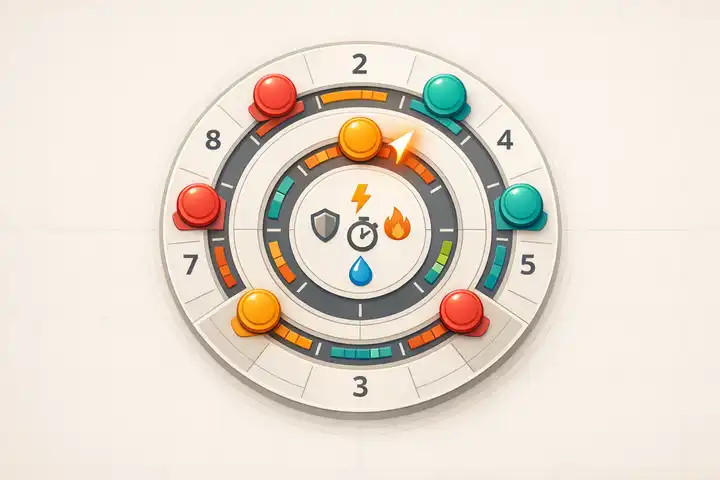
Combat in tabletop RPGs can feel slow and disjointed without the right tools. Initiative trackers solve this problem by organizing turn orders and keeping gameplay smooth. Whether physical, digital, or hybrid, these tools help players and game masters stay focused and engaged during battles. Here's what you need to know:
- What They Do: Track turn order, manage stats like hit points, and display conditions or effects in real time.
- Types Available:
- Physical: Simple and affordable (around $5), like card tents or magnetic boards.
- Digital: Apps or tools that automate sorting and tracking but may require subscriptions ($1–$6/month).
- Hybrid: Combines physical visibility with digital automation, often using small screens.
- How to Use Them: Pre-load combatants, update stats during play, and announce turns to keep everyone ready.
- Best Practices: Delegate tracking tasks, pre-plan encounters, and focus on essential stats to avoid delays.
Quick Tip: Use "on deck" cues to prepare the next player while the current turn is in progress. This keeps the game moving and reduces downtime.
Choosing the right tracker depends on your group's preferences and the complexity of your game. Physical trackers are great for in-person games, while digital options shine in online or stat-heavy sessions. Experiment with different methods to find what works best for your table.
What Initiative Trackers Are and How They Work
Definition and Purpose
An initiative tracker is a tool designed to organize and display the turn order during combat in tabletop RPGs. By clearly showing who acts next, it helps players prepare their moves ahead of time, streamlining gameplay and keeping everyone engaged.
Many modern trackers also serve as a hub for critical game details like hit points, armor class, and status effects. For instance, the Roll20 Turn Tracker supports a large community, with over 92,500 subscribers using its tutorial platform to optimize their games.
Types of Initiative Trackers
Initiative trackers come in three main forms: physical, digital, and hybrid.
- Physical Trackers: These include tools like card stock tents, dry-erase boards, magnetic pads, or even wooden towers. They’re easy to see and don’t require electronics, making them a simple and reliable choice. However, manually sorting turns can take time, and they often lack room for extra details. On the bright side, they’re affordable - basic setups cost around $5.
- Digital Trackers: These range from free online tools to apps and virtual tabletop integrations. Digital trackers can automatically sort turns, update stats like hit points in real time, and even manage conditions. However, they aren’t without drawbacks - technical glitches and limited visibility (if only the GM can see the screen) can sometimes be an issue.
- Hybrid Trackers: Combining the best of both worlds, hybrid setups might use small USB screens clipped to a DM’s screen to display the initiative order to players while keeping GM notes private. These setups balance efficiency with visibility but often require more technical know-how and can be pricier. Their flexibility makes them a great option for customizing your game.
"If you don't use card stock tents to track initiative, you are doing it wrong. Sure, you can still run a fun game, but with initiative tents, your game will become a bit better." - David Hartlage, Author and DM
Next up, we’ll cover how to set up your tracker to fit seamlessly into your game system.
Setting Up Your Initiative Tracker
Adding Combatants and Initiative Scores
Start by listing all combatants - this includes player characters, NPCs, and monsters. If you’re using a digital tracker, it’s a good idea to load player names and key stats like Max HP and Armor Class before the session begins. This way, you won’t lose momentum when combat starts.
When combat kicks off, each participant rolls a d20 and adds their initiative bonus. Enter these scores as they’re called out. Digital trackers will usually sort the results automatically in descending order.
For groups of identical enemies, you’ve got some flexibility. You can roll once for the entire group to keep things simple, or break them into smaller sub-groups to create a more dynamic action economy.
"The basic method is simple: sort all participants in descending order by their initiative value." - AgentCalc
If two combatants tie, compare their initiative bonuses. If they’re still tied, you can either reroll or let the DM make the call. Some trackers even allow you to assign decimals (e.g., 15.1 vs. 15.2) to manually tweak the order without altering the original rolls.
Once all data is entered and initiative is set, you can fine-tune the tracker to match the specific rules of your game.
Adjusting the Tracker for Your Game System
After sorting initiative, you’ll want to customize the tracker to fit your game’s mechanics. While most systems use a straightforward high-to-low order, some games flip the script or use team-based initiative, where one side acts entirely before the other. Make sure your tracker reflects these variations.
Add fields for essential combat data like Armor Class, Hit Points, and temporary HP. This lets you update damage and other changes in real time. Including a round counter is also helpful for managing spell durations and other time-sensitive effects. If your game involves vertical combat, consider adding an elevation field to track height differences.
To manage conditions, configure notes or dropdown menus for statuses like "stunned" or "poisoned". This saves you from flipping through rulebooks mid-battle. If you want to keep some information hidden, adjust visibility settings so NPC names or initiative scores aren’t revealed to players until the right moment.
For even smoother gameplay, pre-load upcoming encounters. Many digital trackers allow you to save multiple configurations - some offer up to 10 slots - so you can prepare several fights in advance. With just one click, you can launch the next encounter without breaking the flow of the session.
"A great digital tracker does more than just list names in order. It becomes a central hub for running your entire combat." - Fables & Potions
Using Initiative Trackers During Live Gameplay
Advancing Turns and Updating Information
Digital trackers often feature "next" and "previous" buttons or even keyboard shortcuts like j and k to quickly move through combatants. For physical trackers, a simple binder clip can mark the active combatant, making it clear whose turn is up. This setup ensures smooth transitions as the action unfolds.
When characters take damage or gain conditions, you can update hit points or other stats in real time. For example, clicking on the HP field or using chat commands like &{tracker:+5} allows for quick adjustments. Some digital trackers even handle round-based updates automatically. Entering "-1" or "+1" can adjust values each turn - perfect for monitoring temporary effects like buffs or spell durations.
If new foes join mid-combat, most digital platforms include an "Add" button to seamlessly insert them into the initiative order. To save time, pre-fill monster stats like their initiative score (e.g., 10 plus Dexterity modifier) for quick integration. For creatures that are surprised or delayed, add them based on their roll, keeping in mind that surprised creatures skip their first turn.
Best Practices for Real-Time Management
Once your tracker is set up, these strategies can help keep gameplay running smoothly. One effective method is the "on deck" system: while one player takes their turn, announce who’s next. For instance, GM Justin Alexander suggests saying, "Derek, you're up. Julia, you're on deck." This gives the next player time to plan their move and keeps the game flowing efficiently.
Consider delegating initiative management tasks to a player. They can handle initiative cards, announce turns, and track conditions, freeing you up to focus on storytelling and rules.
"Delegation reduces the bottleneck created by the game master. Games move faster, so everyone enjoys more time adventuring."
To avoid unnecessary delays, pre-load your tracker with commonly referenced stats like Armor Class, Passive Perception, and saving throw modifiers. If a stat isn’t readily available, make an educated guess - assuming a +0 modifier for standard attributes is often a safe bet - rather than halting the game to check the rulebook. For groups of identical monsters, use a single initiative roll for all of them, or split them into two or three smaller clusters to create a more engaging action economy.
Obsidian - Initiative Tracker

Physical vs. Digital Trackers

Physical vs Digital Initiative Trackers Comparison for Tabletop RPGs
Let’s dive deeper into the comparison between physical and digital trackers. Physical trackers bring a tactile, easy-to-use approach with constant visibility, making them a favorite for many tabletop gamers. D&D freelance author DMDavid highlights their benefit:
"when players can see the tents and initiative order, they can see when their turn is coming and plan their actions. This speeds play."
These trackers maintain the traditional tabletop vibe, fostering eye contact and immersion - key elements for groups that value the classic gaming experience. On the other hand, digital trackers excel in automation. They handle turn management, hit points, and condition timers seamlessly, eliminating the need for manual updates. For intricate encounters featuring numerous monster types, digital tools consolidate everything - stat blocks, armor class, damage tracking - into one user-friendly interface.
Each option has its own strengths and weaknesses. Physical trackers are affordable (about $5) and free from technical glitches, but they demand manual sorting and can clutter the game master’s screen. Digital tools, costing $1–$6 per month, save time by reducing administrative tasks but may require some tech-savviness and can lead to screen fatigue. Interestingly, some game masters adopt a hybrid approach, using a compact USB screen for digital trackers alongside traditional tools. This setup combines automation with player visibility.
Comparison Table: Physical vs. Digital Trackers
| Type | Pros | Cons | Best For |
|---|---|---|---|
| Physical (Tents/Magnets) | High table visibility; no tech distractions; easy to delegate; low cost (~$5) | Requires manual sorting; can be knocked over; limited space for displaying stats | In-person games; groups preferring a low-tech, tactile experience |
| Digital (Apps/Web Tools) | Auto-sorting; integrated HP/condition tracking; quick access to stat blocks; pre-loadable encounters | Learning curve; potential for tech glitches; subscription costs (typically $1–$6+/month) | Complex encounters; online play; tech-forward groups |
| Analog (Pen & Paper) | Simplest setup; zero cost; no special equipment needed | No automation; limited visibility for players; higher administrative load | One-shot games; very simple encounters; minimalists |
Common Mistakes and How to Avoid Them
Managing initiative and combat flow can be tricky, even for seasoned game masters. Here are some common pitfalls to watch out for - and how to sidestep them to keep your sessions fast and engaging.
One frequent issue is the "call-and-response" ritual - repeatedly calling out initiative order until everyone locks in their spot. RPG designer Justin Alexander critiques this approach:
"The problem, of course, is pacing... In addition to wasting huge swaths of time with this inane call-and-response ritual, it also completely disrupts any sense of flow or build in the combat encounter".
Instead, try pre-rolling initiative at the end of your last session or use visible trackers that players can reference and sort themselves. Both options streamline the process and maintain momentum.
Another common snag is DM bottlenecking - when the dungeon master takes on too much, managing initiative, hit points, and conditions solo, while players wait. D&D blogger DMDavid highlights this problem:
"A DM's pace tends to bottleneck the pace of a role-playing session. Delegation reduces the bottleneck... Games move faster, so everyone enjoys more time adventuring".
Handing off tasks like damage tracking or condition markers not only speeds up gameplay but also keeps players involved and invested.
Forgetting to give "on deck" cues is another misstep. Without a heads-up, players might scramble to decide their actions when their turn arrives, dragging rounds out far longer than necessary. Combat flows much better if you announce whose turn is next, giving players time to plan.
Lastly, some game masters either overload their trackers with unnecessary details or skimp on crucial stats. Constantly flipping pages to find a monster’s AC or other stats disrupts the game. Game master Kenji Crosland offers this advice:
"It's important to only list the details that you will need to keep in the front of your mind every turn. Otherwise, you're just copying stat blocks".
Focus on essentials like AC, passive perception, and current HP. If you forget a minor stat mid-game, make an educated guess rather than halting the session to look it up. Keeping things simple ensures combat runs smoothly and keeps everyone immersed.
Conclusion
Initiative trackers do more than just organize turn order - they help maintain the energy of combat and cut down on downtime. The key is finding the format that works best for your game system and play style. Visibility is critical: when players can clearly see who's up next, they can plan their actions in advance instead of scrambling when their turn arrives. As DMDavid puts it, "If you don't use card stock tents to track initiative, you are doing it wrong."
Let someone else handle it. Passing the responsibility of tracking initiative to a player allows you, as the Dungeon Master, to focus on storytelling and managing NPCs. This reduces delays, keeps the game moving, and gives everyone more time for actual adventuring. Whether you prefer physical tools like initiative tents, digital apps, or pre-rolled initiative scores, the goal remains the same: keep the action flowing without unnecessary interruptions.
Combining clear visibility with smart delegation opens the door to creative ways of managing initiative. Try experimenting with different methods. Use initiative tents for a few sessions, then switch to a digital tracker for encounters with complex conditions. Pre-rolling initiative at the start of your session might help maintain momentum. Some groups even use "popcorn initiative", where players choose the next combatant, encouraging tactical teamwork.
The right tracker can transform combat from a slow grind into an exciting, fast-paced experience. Start with the basics, track only what’s necessary, and adjust as you learn what works best for your group. A smoother turn flow means more engaged players and a more enjoyable game for everyone.
FAQs
What’s the fastest way to start tracking initiative when combat begins?
The fastest way to keep track of initiative is by using index cards or colored paper. Write each combatant's name on a card, fold it so it stands upright, and arrange them in initiative order. To track turns, simply move the active combatant's card across the table or behind the DM screen. This approach is straightforward, eliminates the need for constant rewriting, and ensures the order stays clear for everyone involved.
Which stats should I track to keep combat quick but accurate?
To keep combat running smoothly and accurately, concentrate on the most important stats: initiative values to determine turn order, hit points (HP) to track health and damage, and armor class (AC) to decide hits and misses. It's also crucial to monitor any conditions impacting characters or monsters, as these can influence outcomes. Focusing on these core stats ensures combat stays efficient while retaining all the necessary details.
How do I handle new enemies or delayed turns mid-combat?
To handle new enemies or delayed turns during combat, try using physical tokens or cards - things like small paper slips or tent cards - to manage initiative. These are easy to move around or reorder, making adjustments simple and clear for everyone. You could also use initiative tents or reusable cards, which are especially handy for keeping track of changes. These tools let you stay flexible in dynamic situations while keeping the spotlight on roleplay and decision-making, all without needing to depend on digital tools.


